Last updated: 5 September 2026
Sims 4: Emotions Guide — Moods, Triggers & Skill Bonuses
Every action a Sim takes, every object they interact with, and every social outcome pushes or pulls on their current emotion. Get the right emotion at the right moment and your Sim builds skills faster, performs better at work, and unlocks extra interaction options. Get the wrong one and productivity tanks — or, at the extreme, your Sim might not survive it. This guide covers how the moodlet system works from the ground up, what triggers each emotion, how moods affect skill gain, and the cheats to force any emotion instantly.
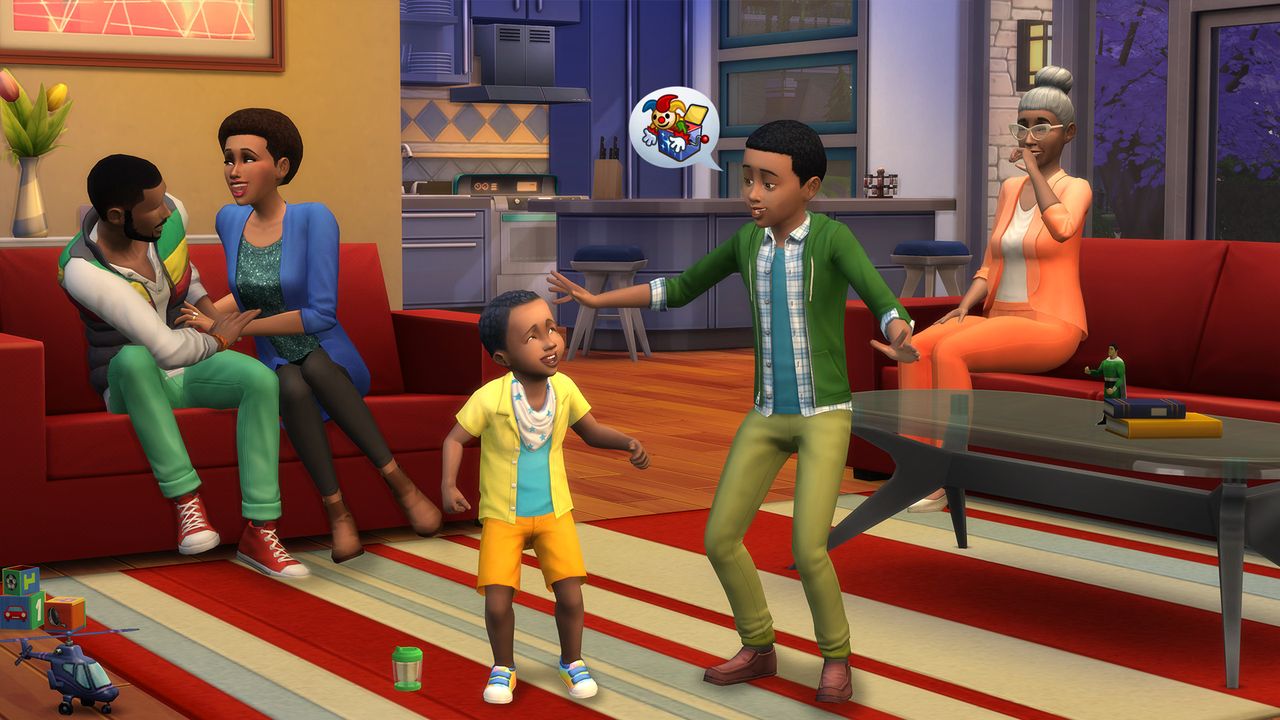
Emotions come from Moodlets — point-scored status effects. The dominant emotion (highest total points) determines what your Sim feels. Six primary positive emotions each make their own skill group build noticeably faster than plain Happy: Inspired for creative skills, Focused for logic-type skills, Energized for Fitness, Confident for Charisma, Flirty for romantic success, Playful for Comedy. Anger, Embarrassment, and Playfulness have a lethal third stage — watch for the skull icon. Use sims.add_buff e_buff_[emotion] (after testingcheats true) to force any emotion for 12 hours.
01How the Emotion System Works
Emotions are driven by Moodlets — small status effects that appear in your Sim's needs panel. Each moodlet carries a point value (shown when you hover over it, e.g. Happy +2 or Energized +3) and a duration, ranging from a few hours to several days. The emotion with the highest combined point total across all currently active moodlets is what your Sim feels.
The key rule: Happy is secondary, and it behaves differently depending on whether the competing emotion is positive or negative. Against negative emotions (Angry, Sad, Embarrassed), the competition is direct — Happy moodlets must outweigh the negative total. If your Sim has Happy +4 and Angry +3, they stay Happy; if a Happy moodlet expires and the balance tips to Happy +2 vs Angry +3, the Sim immediately flips to Angry. Against positive primary emotions, the mechanic is different: Happy moodlet points convert 1:1 to boost whichever positive primary emotion is already active. If a Sim has Happy +4 and even a single Inspired +1 moodlet, the Inspired total effectively becomes +5 — the Sim is Inspired, not Happy. This is why a single positive-emotion moodlet is all it takes to redirect Happy's points and shift the dominant mood.
Each emotion has two or three intensity levels:
- [Emotion] — the base state; mild benefits or drawbacks.
- Very [Emotion] — a stronger version reached when the point total climbs; gives amplified skill bonuses or worsened drawbacks.
- Extreme stage — only Anger, Embarrassment, and Playfulness have a third tier; this is the dangerous level that can be fatal for Young Adult and older Sims (see 'Dangerous Emotions' below).
Fine is the true neutral: no moodlets active at all. It is actually the least productive state for skill gain. Even being Happy is better than Fine because Happy still carries a small generic skill bonus.
02Positive Emotions: Effects and How to Trigger Them
There are seven positive emotion states, including Happy and Fine. The six primary positive emotions each target a specific skill group and make it build noticeably faster than while just Happy — faster still at the Very stage. The diagram below shows each emotion, its skill focus, and the simplest in-game ways to trigger it.
Happy is the default positive state and gives a small, non-targeted bonus to every skill — better than Fine but weaker than any of the six primary emotions. A Sim in an Inspired or Focused state will build creative or logic skills noticeably faster than a Happy Sim doing the same task.
Traits can make specific emotions easier to reach and hold. The Creative trait increases Inspired chances during artistic activities; Genius makes Focused come more naturally; the Active trait generates Energized moodlets from exercise automatically, without any setup.
03Negative Emotions and How to Clear Them
Negative emotions reduce interaction options, can lower career performance, and may cause your Sim to act out autonomously in frustrating ways. Here are the most common ones and the fastest ways to shake them:
- Angry — caused by negative social outcomes, broken objects at home, or the Hot-Headed trait. Sims may autonomously yell at others or kick furniture. Clear fastest by: meditating, painting an Angry painting (converts the emotion productively into a valuable canvas), or using a punching bag. A cold shower also shifts it quickly.
- Sad — from loss, rejection, unfulfilled aspirations, or an Sad-aura painting nearby. Reduces career performance and social confidence. Clear by: talking to a close friend (produces Happy moodlets), watching a funny video, eating comfort food, or having the Sim cry it out in front of a mirror.
- Uncomfortable — the most common negative state; caused by unmet basic needs (hunger, sleep, hygiene). There is no shortcut here: address the underlying need directly. A Sim who is both Hungry and Dirty will stay deeply Uncomfortable until both needs are met.
- Tense — from work stress, career failure, or demanding deadlines. Clear by: relaxing bath, meditation, watching TV, or a massage table if you own the Spa Day Game Pack.
- Embarrassed — from failed social interactions, wetting themselves, or being caught in an awkward situation. Clear by: a confident pep talk in the mirror, a cold shower, or simply waiting (Embarrassed moodlets tend to fade faster than most negatives).
- Bored — from repeating the same activity or from a low Fun need. Clear by switching entirely to something your Sim does not do often — socialising, watching TV, or a new hobby.
- Dazed — from an electric shock, fire injury, or losing a fight. Nothing speeds this up; keep the Sim safe and let it fade on its own.
Emergency cheat: sims.remove_all_buffs (with testingcheats true enabled) wipes every moodlet instantly and returns the Sim to Fine — useful if a Sim is locked into a deep negative spiral or approaching a dangerous emotional tier.
04Emotional Auras: Using Decor to Lock In a Mood
Many decorative objects emit an Emotional Aura — an invisible field that generates a matching moodlet for any Sim standing within range. This is how you build a room that passively keeps a Sim in the right emotional state without any active effort.
Key mechanics to know:
- Aura range is 9 tiles from the object's centre. In Buy Mode, hovering over an object shows a coloured overlay revealing exactly which tiles are covered.
- Doorways break auras. An aura does not pass through a doorway into an adjoining room. This means you can design a Focused home office right next to an Inspired studio without the auras bleeding into each other.
- Paintings have adjustable auras. After completing a painting, click the canvas and choose 'Change Emotional Aura' to set which emotion it projects or to turn it off entirely. This makes a skilled Sim painter one of the best tools for customising every room in the house.
- Candles, books, and sculptures also carry auras — determined by the candle type, what the Sim was reading, or the painter's emotional state during the sculpt.
- Stack auras to dominate a room. Four to six Inspired-aura objects in one room produce a combined moodlet strong enough to override almost any competing Happy, Sad, or Bored moodlet a Sim brings in with them.
Practical setup: a Creative Studio with 4–6 Inspired paintings, a musical instrument, and an Inspired skill book on a shelf keeps any Sim in peak creative state for Painting, Writing, and Music skill-building sessions.
05Skill Gain Speed by Emotion: Ideal Mood for Each Skill
The single strongest reason to manage emotions deliberately is the skill gain bonus. Here is the ideal emotion for every major skill group and what that bonus is worth in practice:
- Inspired boosts Painting, Writing, Cooking, Gourmet Cooking, Guitar, Piano, Violin, and Mixology — noticeably faster than the same activity while Happy, and faster still at Very Inspired. A Sim speed-levelling Painting or Mixology needs to be Inspired every session.
- Focused boosts Logic, Programming, Rocket Science, Video Gaming, Handiness, Gardening, and Fishing — same pattern. A Focused Sim playing chess, debugging code, or fishing at a good spot will out-level a Happy Sim doing the same work in the same number of hours.
- Energized boosts Fitness gain speed and is also required to hit several promotion checkpoints in the Athlete career. Fitness XP per workout increases noticeably compared to exercising while Happy or neutral.
- Confident boosts Charisma above all and improves the success rate of social interactions, which itself generates more Happy moodlets and better job performance grades.
- Playful boosts Comedy. Playful Sims also unlock joke interactions that award Comedy XP directly, creating a feedback loop when socialising with other Sims.
- Happy gives a small generic bonus to every skill with no specific target — useful as a fallback but never the optimal choice when you can target a specific emotion instead.
Being in a negative emotion — Sad, Angry, Uncomfortable — does not stop skill gain entirely, but it removes any bonus and may slow the rate at which a Sim begins practising autonomously. Prioritising the ideal emotion is always the most efficient skill-levelling approach, more impactful than most equipment upgrades.
06Dangerous Emotions: Three States That Can Kill
Three primary emotions have a lethal third stage. A Young Adult, Adult, or Elder Sim risks death once they hit it — the trigger is the number of stacked moodlet points behind the extreme emotion, not a fixed timer, so the risk stays live for as long as the mood does. Children, toddlers, and teenagers are immune to emotion-related death:
- Anger → Very Angry → Enraged (red skull moodlet): An Enraged Sim risks a Cardiac Explosion. If you see the red skull, get the Sim away from whatever is angering them immediately — call a friend, have them meditate, do an Angry painting, or use a punching bag. Do not leave an Enraged Sim unsupervised.
- Embarrassment → Very Embarrassed → Mortified (dark blue skull moodlet): A Mortified Sim can die of shame. This usually follows a cascade of public social disasters — being caught cheating, wetting themselves at a party, or a series of critical interaction failures in quick succession. Remove the Sim from the scene and give them a confident mirror pep talk.
- Playfulness → Very Playful → Hysterical (yellow skull moodlet): A Hysterical Sim is laughing uncontrollably and can die of laughter. This sounds harmless but stacks fast if a Sim with the Goofball trait is in a room full of Playful-aura objects. Take the Sim somewhere calm and have them do something serious — exercising or working through a career task works quickly.
Prevention is straightforward once you know the pattern: watch the moodlet panel for skull icons and interrupt the emotional build-up before the underlying moodlet points push it into the third stage. In an emergency the cheat sims.remove_all_buffs clears the lethal moodlet instantly.
07Mood Cheats: Force Any Emotion Instantly
Open the cheat console with Ctrl+Shift+C — the same shortcut on both PC and Mac, EA's own cheat FAQ confirms there's no separate Cmd key combo (hold all four shoulder buttons on console), type testingcheats true and press Enter, then enter the mood cheat on the selected Sim:
sims.add_buff e_buff_inspired— Inspired for 12 in-game hours.sims.add_buff e_buff_focused— Focused for 12 hours.sims.add_buff e_buff_energized— Energized for 12 hours.sims.add_buff e_buff_confident— Confident for 12 hours.sims.add_buff e_buff_flirty— Flirty for 12 hours.sims.add_buff e_buff_playful— Playful for 12 hours.sims.add_buff e_buff_happy— Happy for 12 hours; useful for overwriting a mild negative mood.sims.remove_all_buffs— wipes every active moodlet immediately, returning the Sim to Fine.
These cheats apply to whichever Sim is currently selected. Click a different household member first if you want to target them. All codes above work as of patch 1.127.41 (August 2026) on PC, Mac, and console.
Note: mood cheats add a temporary moodlet — once it expires the Sim returns to whatever their remaining moodlets produce. For a permanent setup, emotional auras and the right trait picks are more reliable than repeat cheating.
FAQ
What emotions are in The Sims 4?
The Sims 4 has 15 distinct emotional states. Positive: Happy, Fine (neutral), Inspired, Focused, Energized, Confident, Flirty, and Playful. Negative: Angry, Sad, Embarrassed, Uncomfortable, Tense, Bored, and Dazed. Three of them — Anger, Embarrassment, and Playfulness — have a lethal third-stage extreme (Enraged, Mortified, Hysterical) that can kill Young Adult and older Sims who stay in it too long.
How do emotions affect skills in Sims 4?
Each skill has an ideal emotion that speeds up its gain noticeably faster than plain Happy, and faster still at the Very stage. Inspired boosts Painting, Writing, Cooking, all Music skills, and Mixology. Focused covers Logic, Programming, Rocket Science, Video Gaming, Handiness, Gardening, and Fishing. Energized boosts Fitness. Confident speeds up Charisma and career performance. Playful boosts Comedy. Happy gives a small generic bonus to everything but no specific focus.
Can emotions kill your Sim in Sims 4?
Yes. Anger escalates to Enraged (Cardiac Explosion), Embarrassment to Mortified (death by shame), and Playfulness to Hysterical (death by laughter). All three death risks apply only to Young Adults, Adults, and Elders — children and teens are safe. Watch for the skull icon in the moodlet panel and clear the emotion before the stacked moodlet points push it into the extreme stage — there's no fixed timer, so the risk lasts as long as the mood does.
How do I get my Sim Inspired in Sims 4?
The easiest methods: view a painting that projects an Inspired aura, play a musical instrument, eat a high-quality inspired dish made by a levelled-up cook, or read a creative skill book. Sims with the Creative trait become Inspired more readily during artistic activities. You can also cheat it: testingcheats true, then sims.add_buff e_buff_inspired for a 12-hour Inspired moodlet.
How do you cheat emotions in Sims 4?
Open the console (Ctrl+Shift+C on both PC and Mac, all four shoulder buttons on console), type testingcheats true, then enter sims.add_buff e_buff_[emotion] — replacing [emotion] with inspired, focused, energized, confident, flirty, playful, or happy. Each adds a 12-hour moodlet to the selected Sim. Use sims.remove_all_buffs to clear every moodlet instantly and return the Sim to Fine.
How do emotional auras work in Sims 4?
Decorative objects — paintings, candles, books, sculptures — emit an invisible aura that generates emotion moodlets for any Sim within 9 tiles. Hover over an object in Buy Mode to see the aura radius. Auras stop at doorways, so each enclosed room can have a different dominant emotion. Paintings let you choose their aura after completion by clicking the canvas. Stack 4–6 matching aura items in one room to produce a moodlet total that is hard for any competing emotion to override.
Sources
Where the facts on this page were checked. If one of them now says something different, we want to know — tell us and we will fix the guide.
- The Sims 4 Cheats — official cheat list (testingcheats, cas.fulleditmode, motherlode, sims.remove_all_buffs, console shortcut) Electronic Arts
- The Sims 4: Emotions and How They Work — emotion list, skill targets, Happy's 1:1 boost mechanic Ultimate Sims Guides
- The Sims 4 Emotions Guide — Inspired/Focused skill lists, Happy's generic bonus SimsVIP
- The Sims 4: Emotion Guide — emotion list, Happy/positive-emotion interaction, lethal third stages Game Rant
- The Sims 4: How To Avoid Emotion Deaths — moodlet-point thresholds and which life stages are at risk Game Rant
- The Sims 4: How to Become Energized — Energized boosts Fitness gain and Athlete career checkpoints Game Rant
- The Sims 4: Comedy Skill Guide — Playful is the ideal mood for Comedy Ultimate Sims Guides
- The Sims 4: Charisma Skill Guide — Confident boosts Charisma Ultimate Sims Guides
- The Sims 4 Update: Official Patch Notes (August 25th, 2026) — current game version Sims Community
New & updated guides ship every week. Follow the Atom feed or get notified when new The Sims 4 guides land.