Last updated: 5 September 2026
Lords of the Fallen II Co-op Guide — What's Confirmed About Playing Together
Co-op is one of the features CI Games has talked up most for Lords of the Fallen II, and the headline claim — full two-player co-op with shared progression through the whole campaign — is genuinely confirmed. This guide covers what's actually been said about it, corrects a common misunderstanding about how it compares to the 2023 original, and gives general co-op tips that should hold up regardless of exactly how the sequel implements its underworld realm for two players.
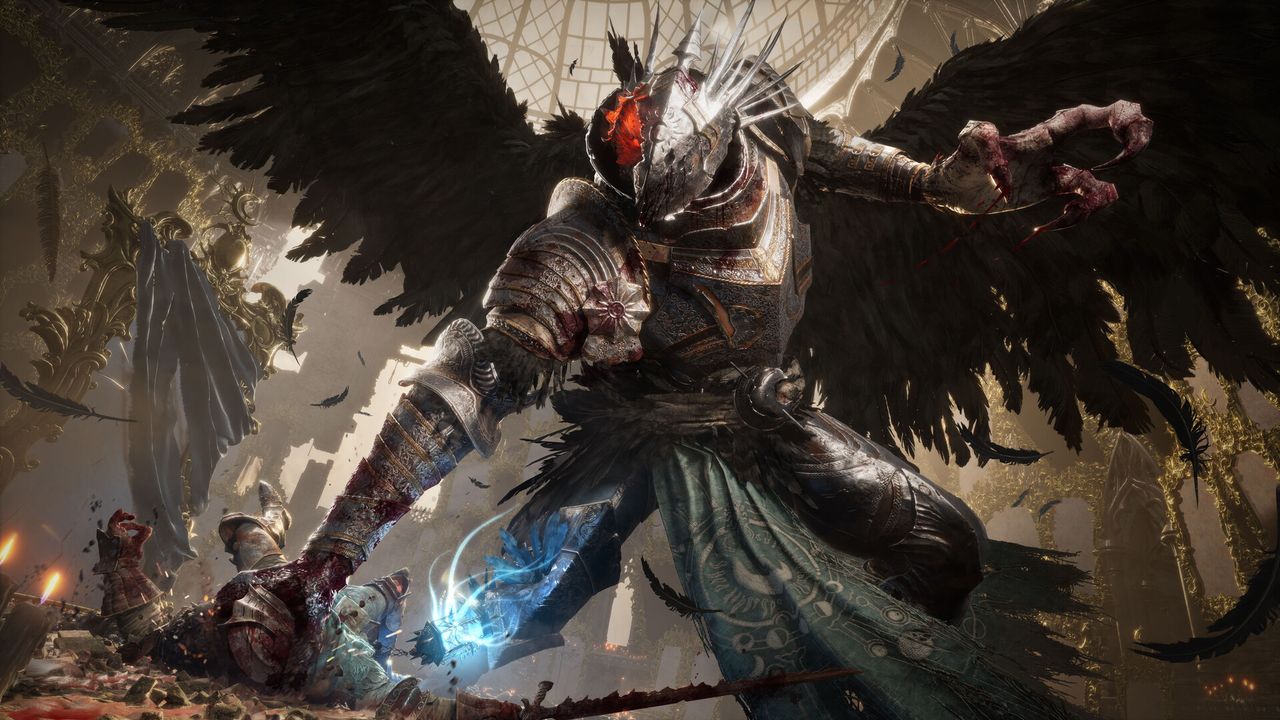
Lords of the Fallen II confirms full two-player co-op with shared campaign progression baked in from launch — you can play the entire story together without losing boss or upgrade progress. This isn't actually a new fix over the original: Lords of the Fallen (2023) already added shared-progression co-op and removed its old session-ending-after-bosses limitation in its version 2.0 update back in 2025. What the sequel adds specifically to Umbral co-op play hasn't been detailed pre-release, so treat anything beyond 'two players, shared progress' as a reasonable guess rather than a confirmed feature.
01What's Confirmed — Shared Progression, Two Players
CI Games' official announcement material describes Lords of the Fallen II as offering players the ability to 'explore both worlds in full co-op, including full campaign progression sharing.' Later dev-diary coverage reiterates 'best-in-class shared progression co-op,' framed as one of the sequel's headline features.
- Two-player co-op, confirmed. Nothing in official material suggests a change from the series' established two-player cap.
- Full campaign shared progression, confirmed. Story and campaign progress carry for both players through a session, rather than being limited to short co-op windows.
- Both realms explorable together. CI Games' announcement specifically calls out co-op exploration of 'both the living world and the Umbral world.'
What hasn't been detailed: the exact mechanics of how items, checkpoints, and specific milestones split between host and partner, and how the reworked Umbral realm behaves when two players are both inside it. Those specifics haven't been shown in dev-diary footage as of mid-2026.
02Correcting a Common Misunderstanding: This Isn't 'Fixing' the First Game
A claim that circulates in pre-release coverage is that Lords of the Fallen II 'removes' a restriction from the first game where co-op sessions ended after every boss defeat. That's out of date: the 2023 original already fixed this in its version 2.0 update (released in 2025), which added shared-progression co-op, a free Friend's Pass letting a non-owner join the full campaign, mid-combat revives, and persistent sessions that don't end after boss kills.
So the accurate framing is that Lords of the Fallen II is continuing and building on co-op improvements the original already shipped, rather than fixing a launch-era problem for the first time. If you played the 2023 original any time after its 2.0 update, the sequel's baseline co-op experience should feel like a continuation, not a reinvention.
03Co-op in the Reworked Umbral Realm — Mostly Unconfirmed Specifics
The dual-realm system is the series' most distinctive feature, and it's reasonable to expect co-op interacts with it in interesting ways — but as of the most recent dev diaries, CI Games has not published specifics on how two players coordinate realm-crossing under the sequel's reworked Umbral 2.0 system (which itself changes how crossing works for a solo player, moving away from a slow full swap toward a faster, more violent transition described as players choosing to 'rip into and rip out of' Umbral).
Claims about specific co-op-Umbral mechanics — for example, that one player can sit in Axiom while the other is in Umbral and appears as a translucent figure, or that planted checkpoints in Umbral are automatically shared between players — have not been confirmed in any official source reviewed for this guide. Until CI Games details this, assume co-op will let both players engage with Umbral together in some form, without relying on specific claimed mechanics that haven't been shown.
04Co-op Build Ideas — General Advice, Not Confirmed Sequel Classes
Lords of the Fallen II hasn't revealed its starting classes (see the best starting class guide for details), so any specific 'tank plus caster' build pairing named after sequel-specific archetypes is speculation. The underlying co-op strategy, though, is genre-standard and worth planning around once real classes are announced:
- Aggro-holder plus damage dealer: one player uses a defensive, shield-or-block-capable loadout to hold an enemy's attention while the other attacks from an exposed angle. This split-aggro pattern works across nearly every Soulslike, including the 2023 original.
- Support caster plus melee attacker: a player built around buffs and healing spells can keep a melee-focused partner sustained through longer fights — a role that existed in the original game's Holy-magic playstyle and is a reasonable bet for the sequel given its confirmed 'wide-ranging build flexibility.'
- Mirror builds work fine too. Two similar loadouts simply doubling effective damage output is a valid, low-planning approach, since most enemies can only meaningfully engage one target at a time.
05Co-op Tips That Should Hold Up Regardless of Sequel Specifics
Practical advice that doesn't depend on details CI Games hasn't confirmed yet:
- Agree on a host in advance. The host's world state is typically the session's primary reference in this style of game — alternate hosting across sessions if you both want full story coverage.
- Confirm both players are checkpointed before a boss attempt. Whatever the sequel's checkpoint system is called, dying without a nearby save point means a long, dangerous run back for whoever isn't already recovered.
- Have one player scout while the other holds position in unfamiliar areas. This limits the chance of both players getting caught in the same ambush.
- Communicate before resting. Resting at a checkpoint typically respawns nearby enemies across this genre — check your partner isn't mid-fight or mid-exploration first.
- Use voice chat for anything realm-related. If the sequel's Umbral co-op involves fast decisions the way its solo Dread system does, text chat will likely be too slow to coordinate in the moment.
FAQ
Does Lords of the Fallen II have co-op?
Yes — CI Games has confirmed full two-player co-op with shared campaign progression as one of the sequel's headline features, letting both players play through the entire story together.
Do both players keep progress in Lords of the Fallen II co-op?
Yes, per CI Games' official description of 'full campaign progression sharing.' This continues an approach the 2023 original already added in its version 2.0 update, rather than introducing shared progression for the first time.
Did co-op sessions end after boss fights in the original Lords of the Fallen?
They did at launch, but this was already fixed in the 2023 original's version 2.0 update in 2025, which added shared-progression co-op, mid-combat revives, and a free Friend's Pass. Lords of the Fallen II builds on this already-improved co-op rather than fixing a still-present problem.
How does co-op work with the Umbral realm in Lords of the Fallen II?
Not fully detailed yet. CI Games has confirmed players can explore both Axiom and the reworked Umbral realm together in co-op, but hasn't published specifics on how the two players' individual realm status, checkpoints, or the Dread threat system interact during a shared session.
How many players can play Lords of the Fallen II co-op?
Two. Nothing in official pre-release material suggests a change from the series' established two-player cap.
What is the best co-op build combination in Lords of the Fallen II?
Specific classes haven't been revealed yet, so no confirmed 'best' pairing exists. The genre-standard approach — one player holding enemy aggro defensively while the other deals damage from an exposed angle — is a safe bet regardless of what the sequel's classes end up being called.
Sources
Where the facts on this page were checked. If one of them now says something different, we want to know — tell us and we will fix the guide.
- Lords of the Fallen 2 Announced | Soulslike RPG Coming 2026 CI Games / Lords of the Fallen (official)
- Lords of the Fallen 2 Set 100 Years After First Game: All Details Revealed ComicBook.com
- CI Games lifts the veil on Lords of the Fallen II's katanas, co-op gameplay and more Gaming Age
- Lords of the Fallen II wants Umbral to haunt you harder Gaming Trend
- Lords of the Fallen 2 Release Fextralife
- Lords of the Fallen II delayed to 2027, to avoid the GTA 6 crunch TheSixthAxis
New & updated guides ship every week. Follow the Atom feed or get notified when new Lords of the Fallen II guides land.