Last updated: 8 November 2026
How to Install Shaders in Minecraft (Java & Bedrock)
On Java Edition, install the Iris mod (its installer also adds Sodium), drop a shader pack .zip into the shaderpacks folder and pick it under Options > Video Settings > Shader Packs. Bedrock Edition cannot run Iris packs: its built-in shader-style option is Vibrant Visuals, chosen in the graphics settings.
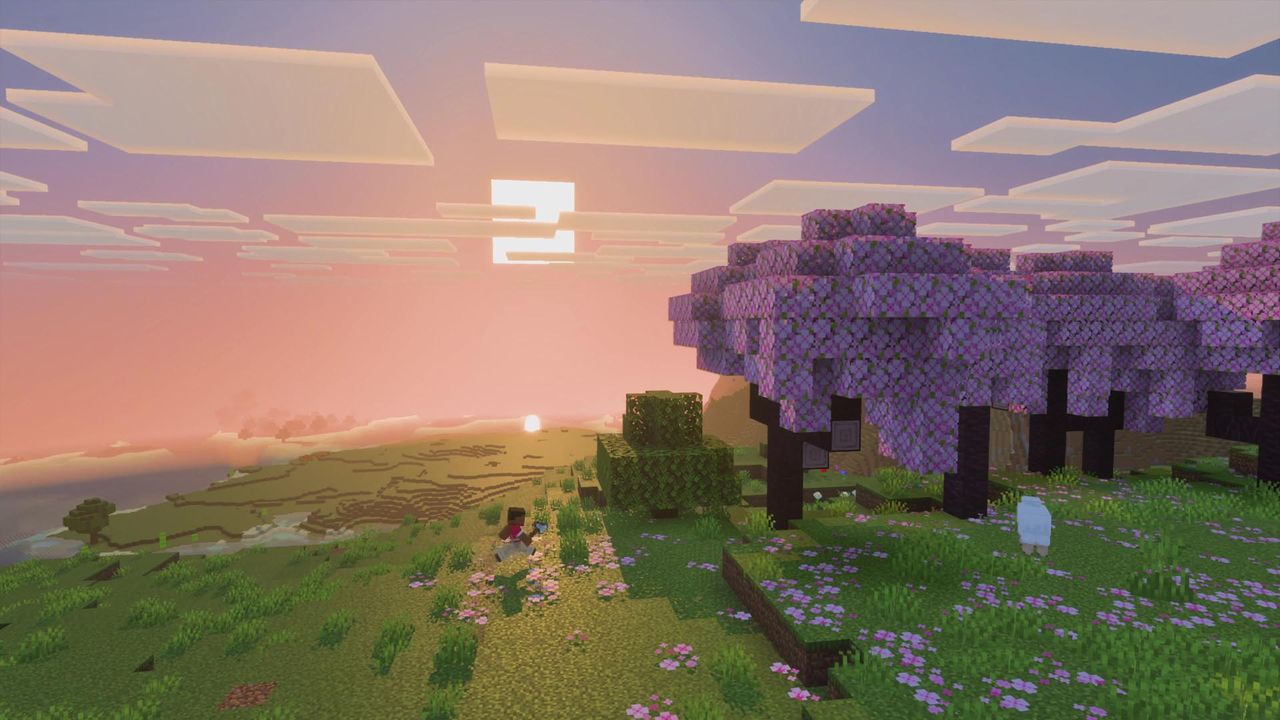
01Java Edition: Install Iris (Fastest Way)
Iris is the mod that loads shader packs on Java Edition, and it is compatible with existing OptiFine shader packs. You do not need OptiFine. The Iris developers warn that OptiFine, Canvas and Vulkan-based mods are incompatible and will crash the game.
- Open the Iris download page and get the installer: a Windows .exe, or the universal .jar if you are not on Windows.
- Run it and choose your Minecraft version. The installer downloads and installs both Iris and Sodium for you.
- Start the new profile in the Minecraft launcher once to make sure it reaches the main menu.
Iris supports Minecraft 1.16.5 and newer, on Fabric (1.16.5+) and NeoForge (1.21.1+); Forge is not supported. Check the Iris page for your exact version before you start.
02Manual Install (Modrinth or CurseForge)
If you already use a mod loader, install the loader first, then download Iris and Sodium separately. Sodium is required for the manual route, and both files must match your Minecraft version and loader.
Put both jars in your mods folder. Mismatched versions are the most common reason the game fails to start after a manual install.
03Add a Shader Pack and Turn It On
- Download a shader pack from a pack's Modrinth page (or the author's own site).
- In Minecraft go to Options > Video Settings > Shader Packs and click the button that opens the shaderpacks folder.
- Move the downloaded .zip into that folder. Do not unzip it.
- Back in the menu, refresh if needed, select the pack and apply. The first load can take a while while the pack compiles.
To switch shaders off again without removing the pack, press K in game (the default Iris toggle key), or choose the off entry in the same menu. Per-pack options live under Shader Pack Settings in that menu.
04Bedrock Edition: Vibrant Visuals Instead of Shader Mods
Iris cannot be used on Bedrock; the Iris developers state Bedrock cannot be modded because of restrictions on mobile devices. Older third-party shaders in resource packs stopped working on many devices after the RenderDragon engine arrived.
What Bedrock does have is Vibrant Visuals, an official graphics mode: open the video settings and pick Vibrant Visuals from the graphics mode dropdown. The mode is only offered on supported hardware, so if it is missing your device is not on the list. It can reduce performance on low-end devices.
Vibrant Visuals is Bedrock only. Mojang plans a Java version but has not given a release date.
05Shaders Not Working? Quick Fixes
- Black screen or crash on start: remove OptiFine or any Canvas/Vulkan mod; they conflict with Iris.
- Pack missing from the list: it must be a .zip (or folder) directly inside shaderpacks, not unzipped into a nested folder.
- Weird textures: resource packs that use core shaders do not work while a shader pack is enabled.
- Graphics errors or very low FPS: Sodium needs desktop OpenGL 4.5 and current GPU drivers; translation layers such as GL4ES or ANGLE are unsupported.
- macOS: Iris lists only limited support there, and unsupported packs may crash the game.
- Distant Horizons or Voxy: these work only with packs that explicitly support them.
FAQ
How do I install shaders in Minecraft Java Edition?
Install Iris with its installer (it also adds Sodium), put a shader pack .zip into the shaderpacks folder without unzipping it, then select it under Options > Video Settings > Shader Packs.
Do I need OptiFine for shaders?
No. Iris loads OptiFine-compatible shader packs by itself, and the Iris developers say OptiFine must not be installed alongside it because it will crash the game.
Can I use shaders on Minecraft Bedrock?
Not Iris packs. Bedrock offers the official Vibrant Visuals graphics mode, selected from the graphics mode setting on supported devices.
Where is the shaderpacks folder?
Open Options > Video Settings > Shader Packs and use the button that opens the folder, so you never have to guess the path.
Do I need Sodium to use Iris?
Yes, for a manual install. The Iris installer adds Sodium for you.
Why won't my shader pack load?
Common causes are an unzipped pack, a version mismatch between Iris, Sodium and Minecraft, OptiFine installed alongside Iris, or an outdated GPU driver.
Sources
Where the facts on this page were checked. If one of them now says something different, we want to know — tell us and we will fix the guide.
- Iris Shaders: download and installation Iris Shaders
- Iris Shaders Iris Shaders
- Iris FAQ Iris Shaders (GitHub)
- Iris Modrinth
- Sodium Modrinth
- Complementary Shaders - Reimagined Modrinth
- Vibrant Visuals Minecraft Wiki
- Shader Minecraft Wiki
New & updated guides ship every week. Follow the Atom feed or get notified when new Minecraft guides land.