Last updated: 21 October 2026
Marvel's Wolverine Accessibility Options Every Feature Insomniac Has Confirmed
Insomniac Games published a detailed breakdown of Marvel's Wolverine's accessibility suite starting in June 2026, and the full suite shipped with the game's PS5 launch on September 15, 2026. The list covers cognitive, motor, visual, and auditory needs — including a game-speed slider that can slow the action to 30 percent of normal pace, high-contrast visual outlines configurable per character type, full controller remapping with DualSense haptics control, a built-in screen reader, audio descriptions for cinematics in multiple languages, and independent toggles for violent content. Post-launch updates have added further player-requested controls — most notably toggles for the "Senses" system that flagged collectibles with scent trails. Insomniac says the options are available from the settings menu and can be adjusted at any point during play.
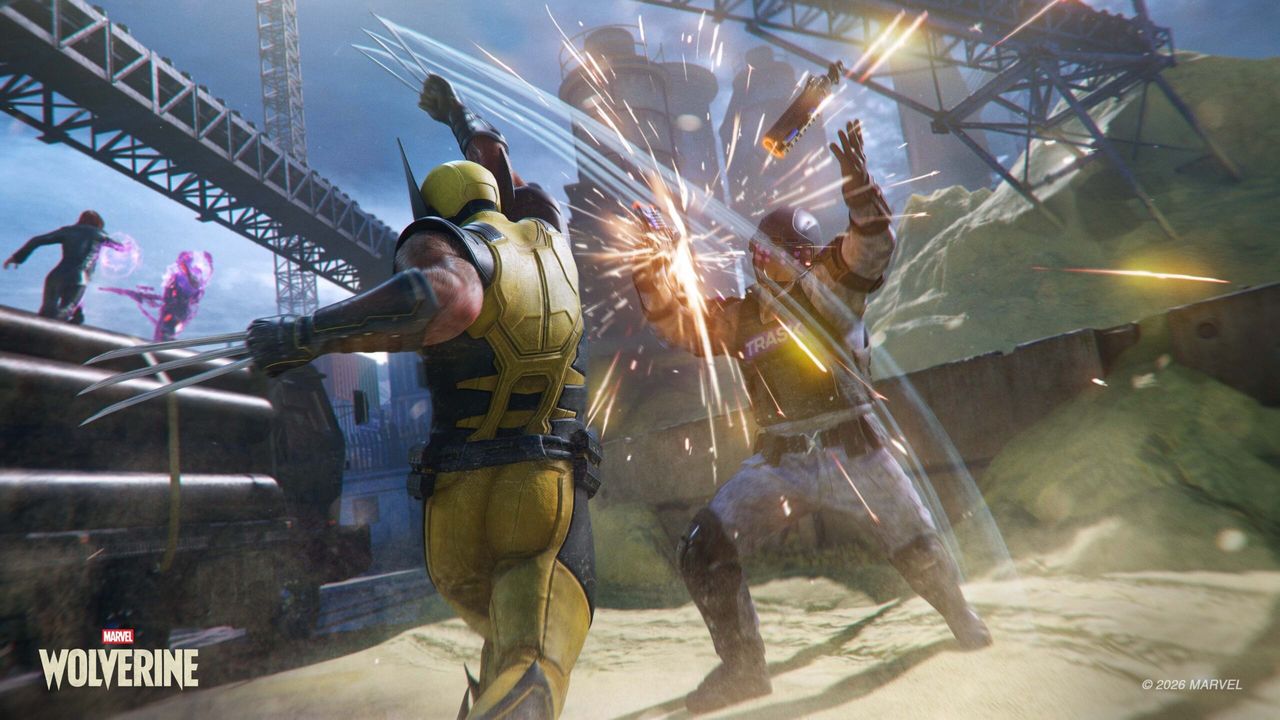
01Insomniac's Approach: Built-In, Not Bolted On
Insomniac Games has been expanding its accessibility suite across every major release since Marvel's Spider-Man (2018), and Marvel's Wolverine represents the studio's most detailed pre-launch accessibility communication to date. Rather than announcing a vague commitment to inclusivity, Insomniac published a specific, categorised list of features in June 2026 — covering what each setting does and the player needs it addresses.
The options are organised across several broad categories: Gameplay Assists, Motion Sensitivity, Visual Assists, Audio Assists, High Contrast Options, Violence Customization, Subtitles and Captions, and Controller and Layout. Cognitive assists — including the game-speed slider and QTE assistance — sit within the Gameplay Assists category.
This level of pre-release transparency is deliberately player-facing: Insomniac's goal is that anyone who needs a specific accommodation can confirm it is available before purchasing the game, not discover its absence after. The confirmed features cover a wide range of needs, from low-vision players who rely on high-contrast displays to players who experience discomfort with rapid-fire button inputs or graphic violent content.
02Visual Accessibility: High Contrast Mode
Marvel's Wolverine includes a dedicated High Contrast mode that applies configurable visual treatments to characters and objects on screen. The system uses two layers: colour outlines around friendly and enemy characters (with adjustable brightness and thickness), and per-type solid colour shaders that let players assign a different tint to each distinct category independently:
- Logan (the player character) — set a distinct colour to keep him readable at all times, even in dense combat
- Allies — companion characters who fight alongside Logan during missions
- NPCs (neutral characters) — non-hostile characters who populate each environment
- Enemies — all hostile units, from Reaver soldiers to named boss characters
- Collectibles — hidden items scattered through environments that contribute to exploration and completion
- Interactable objects — environmental elements Logan can grab, throw, climb, or otherwise use in combat and traversal
- Story-critical items — objects flagged as important to the current mission or narrative sequence, highlighted to prevent them being missed in dense environments
The per-category shader system means players can build contrast that works specifically for their vision. For example, using a bright warm colour for enemies and a cool colour for allies reduces friendly-fire confusion in chaotic multi-enemy fights, while players focused on exploration can highlight only collectibles without changing how combat reads on screen. Outline brightness and thickness are adjustable separately, giving further control over how assertively the effect is applied.
03Gameplay Speed and Cognitive Assists
One of the most significant confirmed features is the game-speed slider, which can reduce the pace of the action to 30 percent of normal speed. Insomniac went further than a single blanket adjustment — the speed reduction is configurable independently across two settings:
- Global Game Speed — a broad speed setting that applies throughout play, useful as a starting point for players who need slower pacing in all contexts
- Combat Game Speed — controls speed specifically during both stealth sections and active combat encounters, giving more time to read patrol patterns, identify attack windows, and plan Technique use without the timer pressure of full-speed play
The separation of global and combat-context speed is a considered design decision. A player who needs slower pacing only during intense high-stakes moments can target the Combat Game Speed without altering exploration or cutscene timing.
Insomniac also confirmed auto-complete for QTEs (Quick Time Events) — the timed button-press sequences that appear during cutscenes and scripted gameplay moments — and skippable puzzle sections. Both options allow players who find these sequences inaccessible or frustrating to remain in the story without being blocked by reaction-speed or puzzle-solving requirements.
04Controls, Haptics, and Motor Settings
Marvel's Wolverine supports full controller remapping, allowing every button and trigger to be reassigned to any other input — an essential inclusion for players who use non-default grip styles or assistive devices alongside a standard DualSense controller.
Beyond remapping, the game includes several DualSense-specific motor settings:
- Adaptive trigger resistance — the resistance level of the DualSense L2 and R2 triggers can be adjusted, allowing players who find the default haptic resistance uncomfortable or physically difficult to reduce it while retaining trigger input accuracy
- D-pad shortcuts — configurable directional pad shortcuts reduce the need to navigate menus mid-combat for commonly used actions, lowering the motor demand of in-fight option management
- Vibration for cinematics (independent) — haptic intensity during cutscenes is set separately from gameplay vibration, so players who want tactile feedback during action but find sustained haptics in long cutscenes fatiguing can adjust the two independently
- Vibration for footsteps (independent) — the subtle haptic pulse accompanying Logan's movement through environments can be toggled or reduced without affecting combat or impact feedback
The separation of cinematic and footstep vibration from combat haptics reflects an understanding that different types of vibration serve different purposes — and that a blanket on/off control is too blunt for players who need fine-grained adjustment.
05Audio Accessibility
Marvel's Wolverine's audio accessibility suite covers three areas: screen reader support, audio descriptions for cinematics, and frequency filtering.
Screen reader — A built-in screen reader reads the text of menus, tutorial prompts, and on-screen notifications aloud. Players can adjust the screen reader's volume, reading speed, and level of detail — for example, whether it reads every UI element in full or condenses repetitive information into shorter announcements. This makes the game's interface navigable for players who have low or no vision without relying on external assistive software.
Audio descriptions for cinematics — A narrator track plays during in-game cutscenes, describing on-screen action and visual storytelling for players who cannot see the visuals clearly. Insomniac confirmed this is available in multiple languages, not only in English — which matters because many players who rely on audio descriptions do so in their first language rather than a localised secondary one.
- Frequency filters — Audio frequency filters allow players to adjust the mix of in-game sound based on their hearing profile. A player with high-frequency hearing loss can boost lower frequencies to compensate without requiring external audio hardware. This goes beyond a simple volume slider and targets specific parts of the frequency range where individual hearing differs.
Frequency filtering is a relatively uncommon inclusion in mainstream action games and reflects a more detailed understanding of how hearing differences affect audio experience beyond volume adjustment alone.
06Violence and Content Settings
Wolverine's identity as a character is inseparable from his claws and the physical damage they inflict — but Insomniac confirmed that the violent visual content of the game is modular and can be reduced or removed entirely through the options menu.
The confirmed violence and content settings include:
- Dynamic Blood — toggles the visibility of blood from impacts during gameplay and cinematics
- Dismemberment visibility — controls whether enemies can be visibly dismembered during combat; can be reduced or turned off entirely
- Visceral Healing — toggles the level of physical damage displayed on Logan's body in gameplay and cinematics, covering the visible wounds and healing animations that show his regenerative ability; players who find Wolverine's recovery visuals graphic can disable this while retaining the core combat feel
- All toggleable independently — each of the above can be disabled on its own; players are not required to choose an all-or-nothing content level
These settings make the game accessible to a wider range of players — including younger players in households that share consoles, players who experience distress responses to violent imagery, and players who prefer the combat focus without the graphic visual presentation. They affect only the visual rendering of physical damage and Logan's healing animations, not the game's narrative content or tone.
07Post-Launch Additions: Senses Toggles
Beyond the suite Insomniac detailed before release, two post-launch updates added player-requested toggles for the game's Senses system — the on-screen prompts and scent trails that flag nearby points of interest. Update 1.001.006 (September 2026) added independent on/off switches under Settings > Gameplay > Senses for three collectible-related cues: Whisky Bottle Scent Trails, Material Crate Audio Clues, and Nightmare Door Roots. Update 1.002.001 (October 6, 2026) went further and added a toggle, bound to the Hint button (default R3), specifically for story-related scent trails.
- What you can turn off: Whisky Bottle Scent Trails, Material Crate Audio Clues, Nightmare Door Roots, and — as of 1.002.001 — story-critical scent trails via the Hint button
- What stays on: Story-critical Senses still appear during specific sequences regardless of the toggle (for example, tracking "Red" during the mission "The One That Got Away") unless you use the dedicated Hint-button toggle added in 1.002.001
- Why it was added: Coverage of the update frames it as a direct response to player complaints that the base game's Senses system was too insistent about highlighting collectibles and objectives, reducing a sense of discovery
This sits on top of, not instead of, the High Contrast and Navigation Assist options described above — the Senses toggles specifically target the scent-trail/audio-clue layer rather than the broader contrast or direction-trail systems.
FAQ
Does Marvel's Wolverine have accessibility options?
Yes. Insomniac Games confirmed a comprehensive accessibility suite ahead of launch, covering visual, motor, cognitive, and auditory needs, and it shipped in full with the September 15, 2026 release. Features include a game-speed slider (down to 30 percent of normal), high-contrast mode with per-type colour shaders and outline customisation, full controller remapping, a built-in screen reader, audio descriptions for cinematics, auto-complete QTEs, and independent violence toggles. Post-launch updates have added further toggles for the Senses/scent-trail system. All options are available from the main menu before starting the campaign.
Can you turn off the scent trails in Marvel's Wolverine?
Yes, as of post-launch updates. Patch 1.001.006 (September 2026) added toggles for Whisky Bottle Scent Trails, Material Crate Audio Clues, and Nightmare Door Roots under Settings > Gameplay > Senses. Patch 1.002.001 (October 6, 2026) added a further toggle for story-related scent trails, bound to the Hint button (default R3).
Can you slow down the game in Marvel's Wolverine?
Yes. The game-speed slider can reduce the pace to 30 percent of normal speed. Insomniac designed it with two independent settings — a Global Game Speed that applies broadly, and a Combat Game Speed that controls pace specifically during stealth and active combat sections — so players can target only the high-intensity moments without affecting exploration or cutscenes.
Does Marvel's Wolverine have a high-contrast mode?
Yes. High Contrast mode applies two layers: colour outlines around friendly and enemy characters (with adjustable brightness and thickness), and per-type solid colour shaders configurable independently for Logan, allies, NPCs, enemies, collectibles, interactable objects, and story-critical items. Together these let players build a visual layout that works for their specific needs.
Does Marvel's Wolverine have a screen reader or audio descriptions?
Yes. A built-in screen reader reads menus, tutorial text, and on-screen notifications aloud, with adjustable volume, reading speed, and detail level. Audio descriptions for cinematics — a narrator track describing on-screen action — are also available and confirmed in multiple languages.
Can you turn off blood and gore in Marvel's Wolverine?
Yes. Insomniac confirmed three independent violence toggles: Dynamic Blood (blood effects from impacts), Dismemberment (visibility in gameplay and blurred in cinematics), and Visceral Healing (Logan's body damage and healing animations). Each can be turned off separately, giving players fine-grained control rather than an all-or-nothing switch.
Does Marvel's Wolverine let you skip QTEs or puzzles?
Yes. Auto-complete for QTE button sequences and the ability to skip puzzle sections are both confirmed accessibility options in Marvel's Wolverine. These allow players who find timed inputs inaccessible or puzzle pacing disruptive to continue through the story without being blocked.
Sources
Where the facts on this page were checked. If one of them now says something different, we want to know — tell us and we will fix the guide.
- Insomniac Games shares accessibility features of Marvel's Wolverine Can I Play That
- Marvel's Wolverine Returns at State of Play with a new, audio described, Gameplay Trailer and full Accessibility Details victordima.net
- Marvel's Wolverine's Accessibility Options Detailed, Includes Gameplay Assists and Visual Options GamingBolt
- Marvel's Wolverine Accessibility Features Detailed by Insomniac Twisted Voxel
- Marvel's Wolverine: Details on Logan's mutant abilities, game features, and more PlayStation Blog
- Marvel's Wolverine: new gameplay, story details from State of Play PlayStation Blog
- Marvel's Wolverine Update 1.001.006 Adds Toggle for Senses the Bonus Stuff MP1st
- Marvel's Wolverine Update 1.002.001 Out Now, Adds Toggle for Story Scent Trails — Full Patch Notes Listed PSU.com
New & updated guides ship every week. Follow the Atom feed or get notified when new Marvel's Wolverine guides land.